VPhoneGaga vs VMOS: Which One Fits Your Phone?
Ask in any group about a second Android space on your phone, and two names come up: VPhoneGaga and VMOS. Both apps give you a separate Android space for cloned apps and second accounts. But they are built on two ideas, and the right pick depends on what you want to do.
This page gives a fair look at both: what each app is, where each one is strong, and who should pick which. You will find no score charts and no made up numbers here. Only the points that matter in daily use.
The short answer
Pick VPhoneGaga if your main job is to clone apps and games. That means two WhatsApp accounts, a second copy of a game, and more accounts in one place, with a fast setup and mod editions like Gold, Premium, and VIP in the picture. Pick VMOS if you want a full separate system. VMOS runs a complete virtual Android that acts more like a second phone, with a root option inside the virtual system, per community guides. Many people try both. They are separate apps and can live on the same phone.
What each one is
VPhoneGaga is a virtual space app. It builds a closed Android space on your phone. You clone apps from your real system into that space and run second copies of them. In this niche it is best known for cloning games and apps. Players clone PUBG Mobile, Free Fire, and MLBB a lot. It is also known for its mod editions, which our VPhoneGaga Mod APK guide covers in full.
VMOS is a virtual machine app in the full sense. It runs a complete and separate Android system inside your own system. It is closer to a second phone that you set up from the start. On setups that support it, you can pick a system version, and you can turn root on inside the virtual system, per community guides. That depth is its appeal. It is also why the app tends to feel heavy.
Side by side
VPhoneGaga | VMOS | |
Main focus | A virtual space for cloning apps and games | A full virtual Android system |
Cloning and second accounts | Core strength. Cloning is fast and dual apps are easy | Yes. You install apps into the virtual system |
Guest Android versions | Android 12, 10 and 7. Android 7 is free. Android 10 and 12 sit behind the VIP plan. | Per community guides, older VMOS Pro ROMs offer Android 7.1 (32 bit) and Android 9 (64 bit) |
Root | Not needed for normal use | Known for a root switch inside the virtual system, per community guides |
Editions | Mod editions: Gold, Premium, VIP | Free app with a VIP tier |
Setup feel | Lighter and faster to start | Heavier, with more system to set up |
Best known for | Cloning games and apps and holding many accounts | A second full Android with deep system control |
Read the table as a guide, not as fixed rules. Versions change, and the power of your phone shapes the feel of each app more than any list can. A strong phone runs either app with ease. An old phone will feel the weight of VMOS more.
Cloning and multiple accounts
This is the home ground of VPhoneGaga. Cloning an app takes a few taps. Two WhatsApp accounts or two game accounts are the main use the app is built around. Our guide to running two WhatsApp accounts with VPhoneGaga shows the steps. VMOS can hold the same second accounts. But there you install apps into a whole second system. That takes more steps for what is often a simple need.
Games
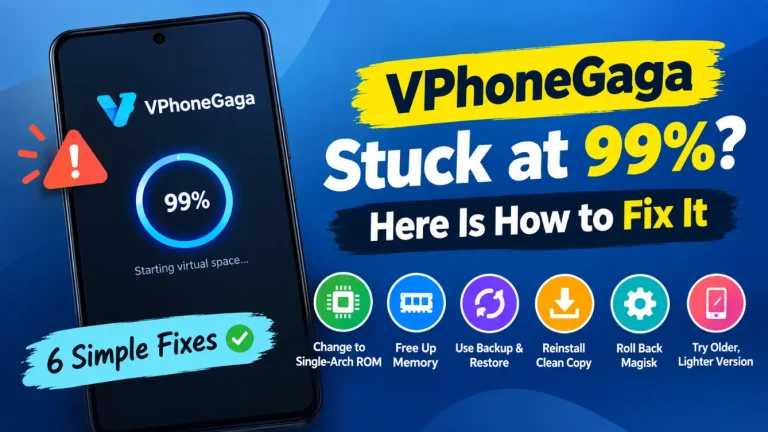
Players use both apps a lot: a second game account, a safe space for tests, or a separate space for a guild account. The crowd around VPhoneGaga leans this way, and most fix guides for it, like our stuck at 99% fixes come from game use. The fuller system in VMOS can suit games that want a more complete space. On both apps, the RAM and storage of your phone decide how smooth the game feels. If a game crashes or slows down inside a virtual space, our crashing and black screen fixes apply to both setups.
Which should you pick?
- You mainly clone apps and games and want it fast: VPhoneGaga.
- You want a second full Android system with root inside it: VMOS.
- Your phone is old or low on storage: VPhoneGaga is the lighter start. VMOS asks more of the phone.
- You are curious and your phone has room: Install both and test them on your own phone. That is the honest test. The current VPhoneGaga build is on our homepage.
A quick safety note
Pick a source you trust for either app, and stay away from cracked builds of both. A virtual space app holds your accounts, so a fake or changed build is a real risk. Our VPhoneGaga safety guide shows the checks that apply to both apps.