
Download VPhoneGaga APK v5.0.6: Run Two Phones on One Android
The VPhoneGaga APK is a free Android app that puts a second phone inside your phone. It opens a private VPhone space where you can clone your apps, sign into two accounts at once, and try new software with no risk to your real system. Everything you do in that space stays sealed off from your main phone. The app also goes by the name VPhoneOS today, and both point to the same tool from the developer Titan. Below you will find a straight answer to what it does, how to install it, which version suits your phone, and how to solve the problems people hit most.
Think of it as a locked room on your device. Whatever happens inside that room never reaches the rest of your phone..
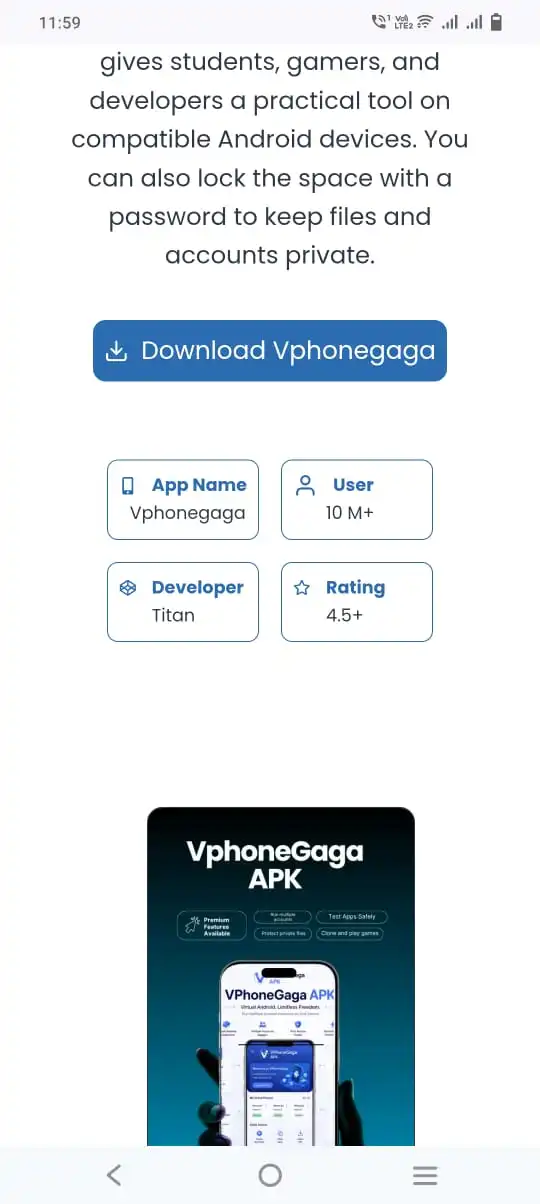
Vphonegaga
10 M+
Titan
4.5+
VPhoneGaga app details
Here are the core facts about the current release before you install it.
Item | Detail |
|---|---|
App name | VPhoneGaga APK (VPhoneOS) |
Version | v5.0.6 |
Developer | Titan |
Package name | com.vphonegaga.titan |
Category | Tool / Virtual Machine |
Requirement | Android 7.0 and above |
File size | About 110 MB |
Price | Free |
Last updated | 2 hours ago |
The VPhoneGaga APK works on Android 7.0 and above, and this release focuses on stability and better support for recent phones and tablets.
What VPhoneGaga does
VPhone Gaga runs a separate Android system on top of your real one. Apps inside that space work on their own. They do not share data or logins with the copies on your main phone. People install it for four main reasons.
- Run two accounts of one app. Many people keep one number for work and one for family. With a cloned app, you can log into a second WhatsApp, Telegram, Facebook, or Instagram on the same phone. Both stay active at once, and signing into one never logs the other out.
- Keep a private, locked space. You can move chosen apps and files into the space and lock them behind a password. That keeps them off your main screen and away from anyone who picks up your phone. It suits personal photos, private notes, or a second social account you would rather keep quiet.
- Test apps without risk. A new or unknown app can misbehave or hide something nasty. Opening it inside the sealed space means it cannot reach your real contacts, photos, or messages. If it turns out to be junk, you delete the space and move on.
- Play old and 32-bit games. Plenty of older titles no longer install on new phones. The app can run an older Android version inside the space, where those games still load and play. It is one of the most popular reasons people install it in 2026.
Have you ever wanted a work profile and a personal profile side by side? That is the simplest reason people reach for VPhone Gaga.
VPhoneGaga is now VPhoneOS
This mix-up trips up almost everyone, so let us clear it up fast. The developer renamed the project. The name changed from VPhone Gaga to VPhoneOS, and newer releases now carry that label. Older copies still float around the web under the first name.
Some people also type it as VPhone Gaga, or as v phone gaga, and others shorten it to VPhone. All of these point to the same product. Both names share the same package identity, com.vphonegaga.titan, so a VPhoneGaga tip written for one works for the other.

Key features
The app packs several practical tools into one download. Each one solves a specific, common problem for Android users.
1
Virtual space
A second Android system, sealed off from your main phone
2
App cloning
Two copies of one app, each with its own login
3
No root needed
Core features work without rooting your real device
4
Private file lock
Hide and password-protect chosen apps and files
5
32-bit support
Run old apps that modern phones block
6
Free to use
The standard version costs nothing

How to download and install VPhoneGaga on your phone
Setting up the VPhoneGaga APK is simple, and you only do it once. Here is the exact path from download to first launch, written so you can follow it on the same phone you are reading this on.
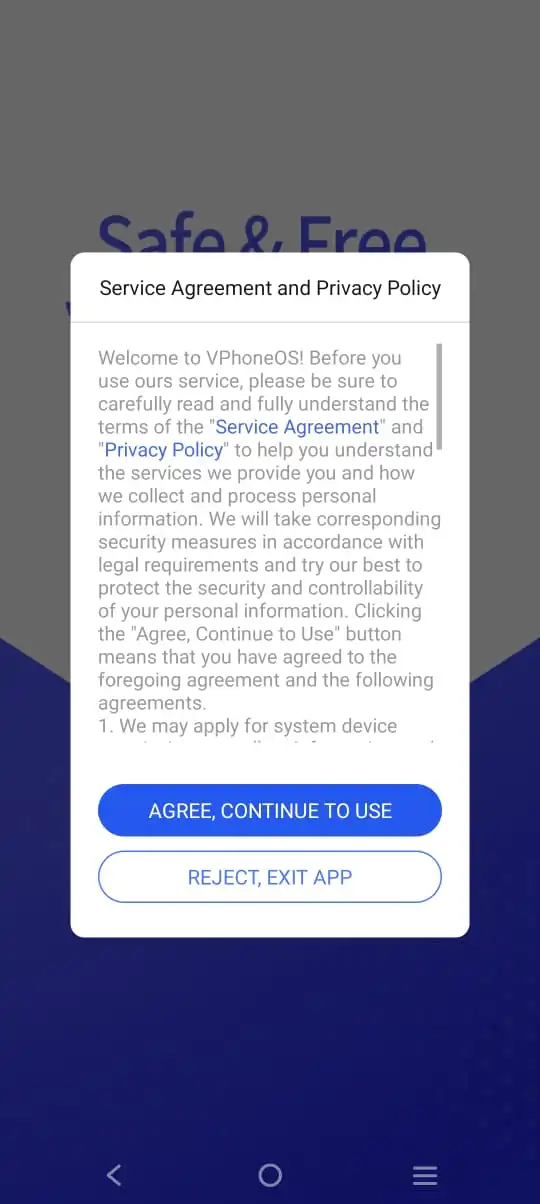
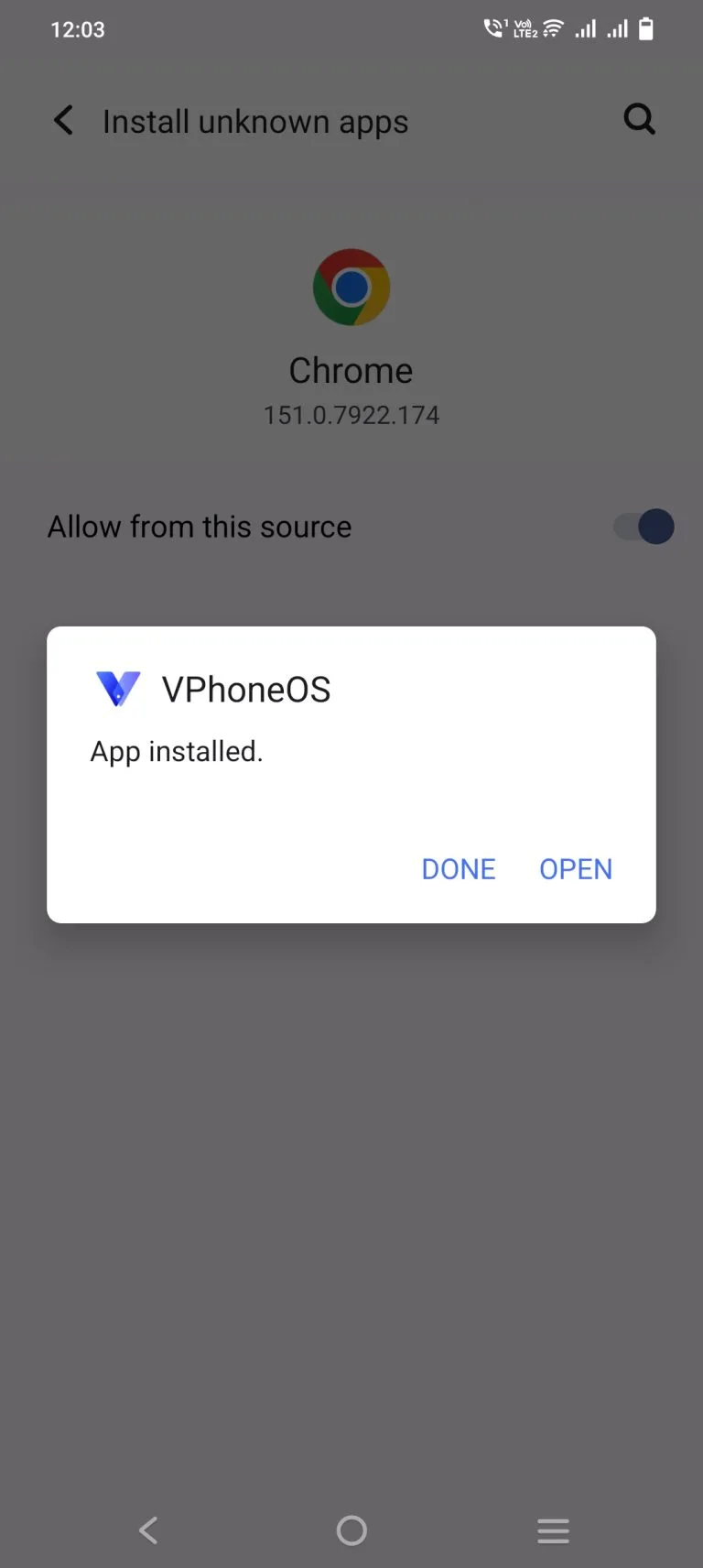
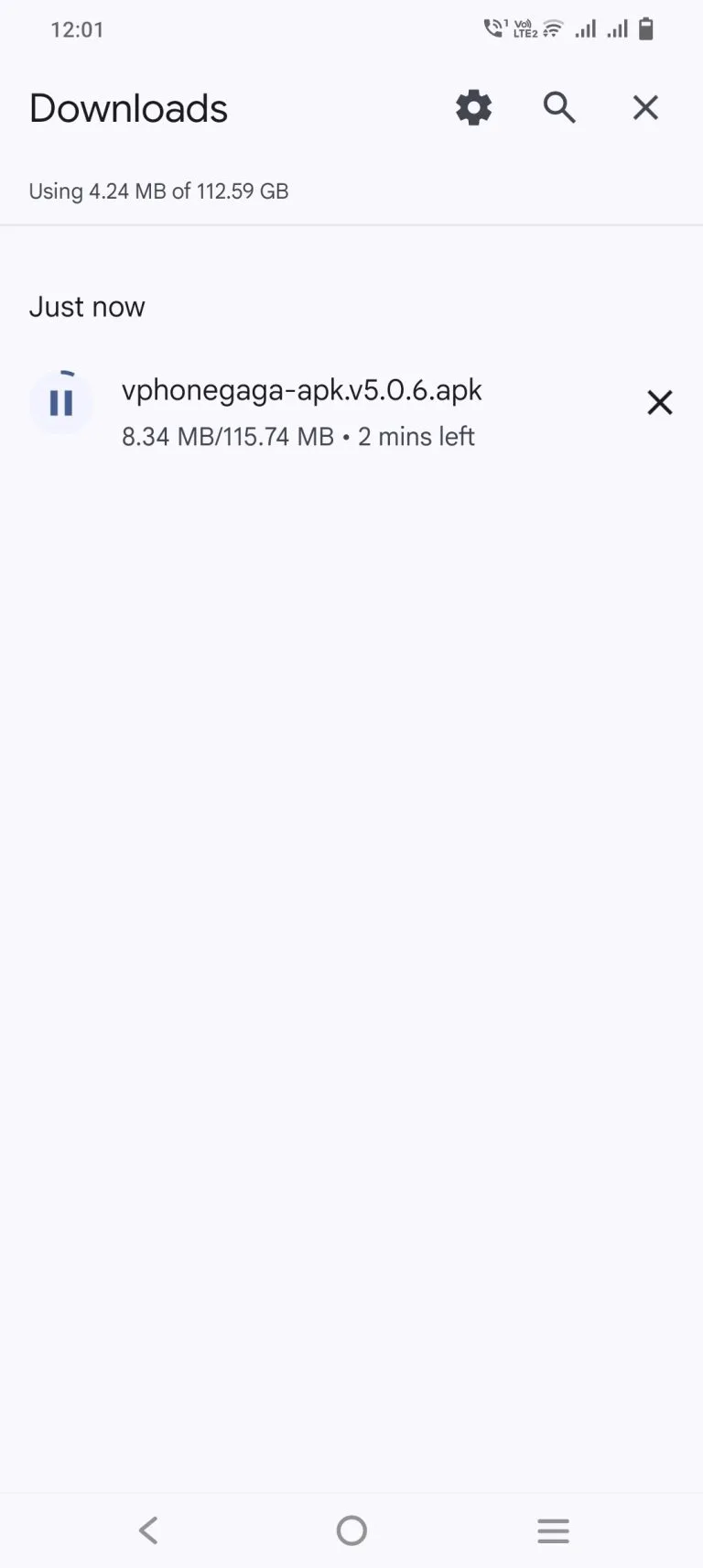
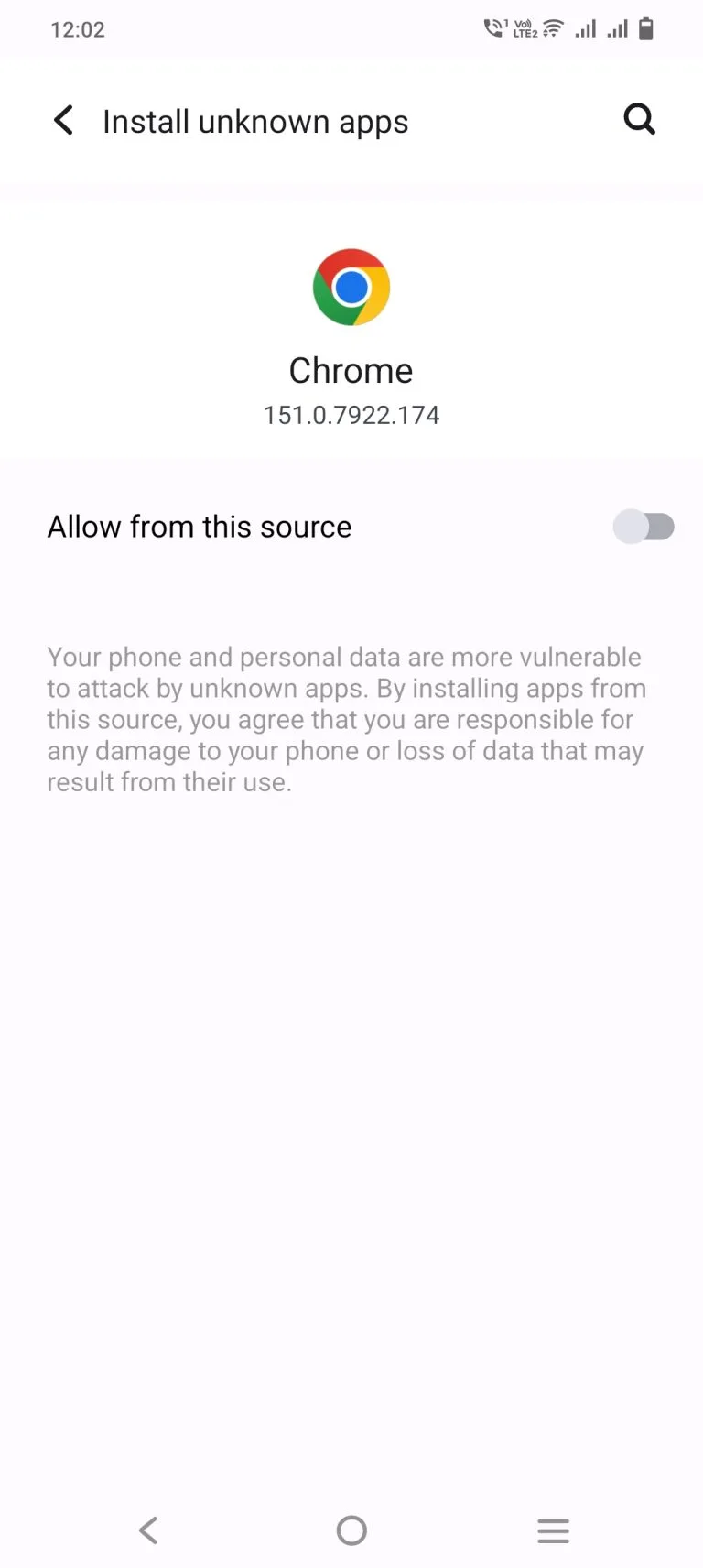
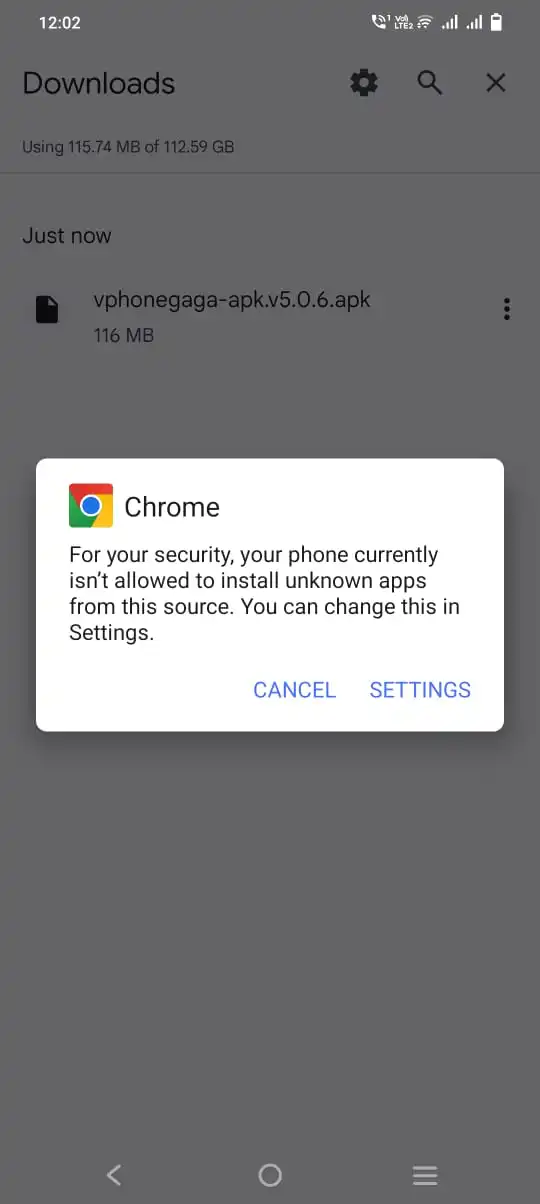
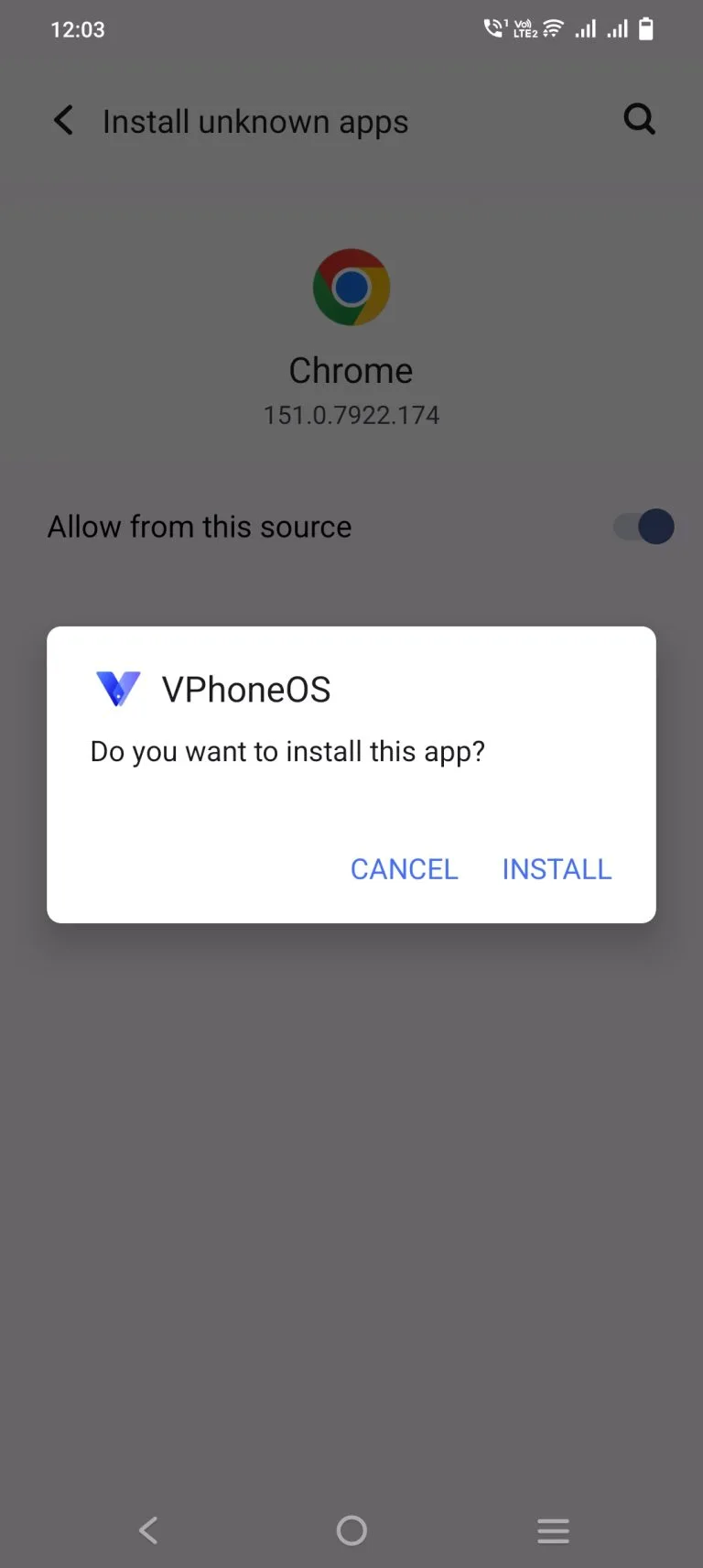
If the install will not finish, the usual cause is the wrong file for your chip or too little free storage. Pick the matching version, shown just below. Always get it from the official VPhoneGaga website or another source you trust. It is also worth reading our is VPhoneGaga safe to use guide before you tap install.
What your phone needs first
The VPhoneGaga APK shares your phone hardware, so a few basics decide how well it runs. Check these before you start.
| Requirement | Recommended |
|---|---|
| Android version | Android 7.0 or later |
| Free RAM | 4 GB minimum, 6 GB or more is better |
| Free storage | At least 1 GB available |
| Processor | ARM64 chip recommended |
| Internet | Needed for first setup and downloads |
Older phones with little memory can still run the app, but they may feel slow. A mid-range or newer phone gives the smoothest result.
How to use the virtual space
Setting up your second Android takes a few simple steps. Here is the full flow.
Anything you install in the space stays inside it. Your main phone keeps its own apps and logins, untouched.
Which version fits your phone
Picking the right VPhoneGaga APK version saves you from crashes and boot failures. Your choice depends on your chip and your Android version.
Your device | Best choice |
|---|---|
Modern phone with an ARM64 chip | 64-bit version |
Older phone with a 32-bit chip | 32-bit version |
For playing old 32-bit games | A version with 32-bit ROM support |
Android 10 to 14 | Works well on most versions |
Android 15 | Support is limited and buggy for many users |
Android 16 | Few working options so far |
Free, Gold, Mod, and Premium versions
You will see several names attached to this app. Here is the short version of each. The standard app is free and covers what most people need.
For most users, the free version is enough. You can compare the Gold, Mod, and Premium versions, and the real risks of modified files, before you choose.
Playing old and 32-bit games
This is one of the app’s most useful jobs. Google began requiring 64-bit app versions in 2019. From 2021, the Play Store stopped serving 32-bit-only apps to modern 64-bit phones, and newer chips have dropped 32-bit support fully.
The result is simple. Many loved older games no longer install on new phones. It runs an older Android version inside the space, often Android 7, where those games still work. If you want to bring your old favourites back to life, the VPhoneGaga APK is a real fix, not just a trick.
Tips to improve performance
A smooth virtual space depends mostly on your phone, but a few habits help. Try these.
These small changes cut down on lag and boot problems, and they help the app run smoothly on older phones.
Common problems and quick fixes
Most complaints fall into a few clear groups. Here are the real causes people report, not guesses.
The app gets stuck at 99 or 100 percent
This is the most common issue. Two causes stand out. First, chip type matters, and failures cluster on certain Samsung Exynos processors while Snapdragon chips often load fine. Second, a ROM that mixes 32-bit and 64-bit code can freeze on boot, while a single-architecture one works. Our step-by-step fix for the loading freeze covers each option.
Online games will not connect
Some online titles refuse to run inside a virtual machine. Others show lag or ping spikes during play.
It crashes on a low-memory phone
Budget devices with tight RAM may force-close the space. Closing background apps and running a single instance helps a lot, and there are more ways to stop the app from crashing.
Google sign-in fails inside the space
Logging into a Google account inside the virtual system can loop or fail on some versions.
Do these issues mean VPhoneGaga is broken? No. They mean the right setup depends on your exact phone, which is why matching your device to the correct version matters so much.
Pros and Cons
Every tool has trade-offs. Here is an honest look at both sides of the VPhoneGaga APK before you decide.
Pros
Cons
Frequently asked questions
A few quick answers are below. For more, browse our full list of common questions and answers.
Conclusion
For the right person, the VPhoneGaga APK is hard to beat. If you need two accounts, a private space, or a way to enjoy older games again, few free tools do the job as directly. It stands out from rivals like VMOS by staying stable across more devices.
Match the right version to your device, and it runs as a stable, useful second phone living quietly inside your pocket. The honest limits are worth knowing too. Performance leans on your hardware, and support on the newest Android versions is still patchy. For most people, though, it does exactly what it promises without touching the real phone.